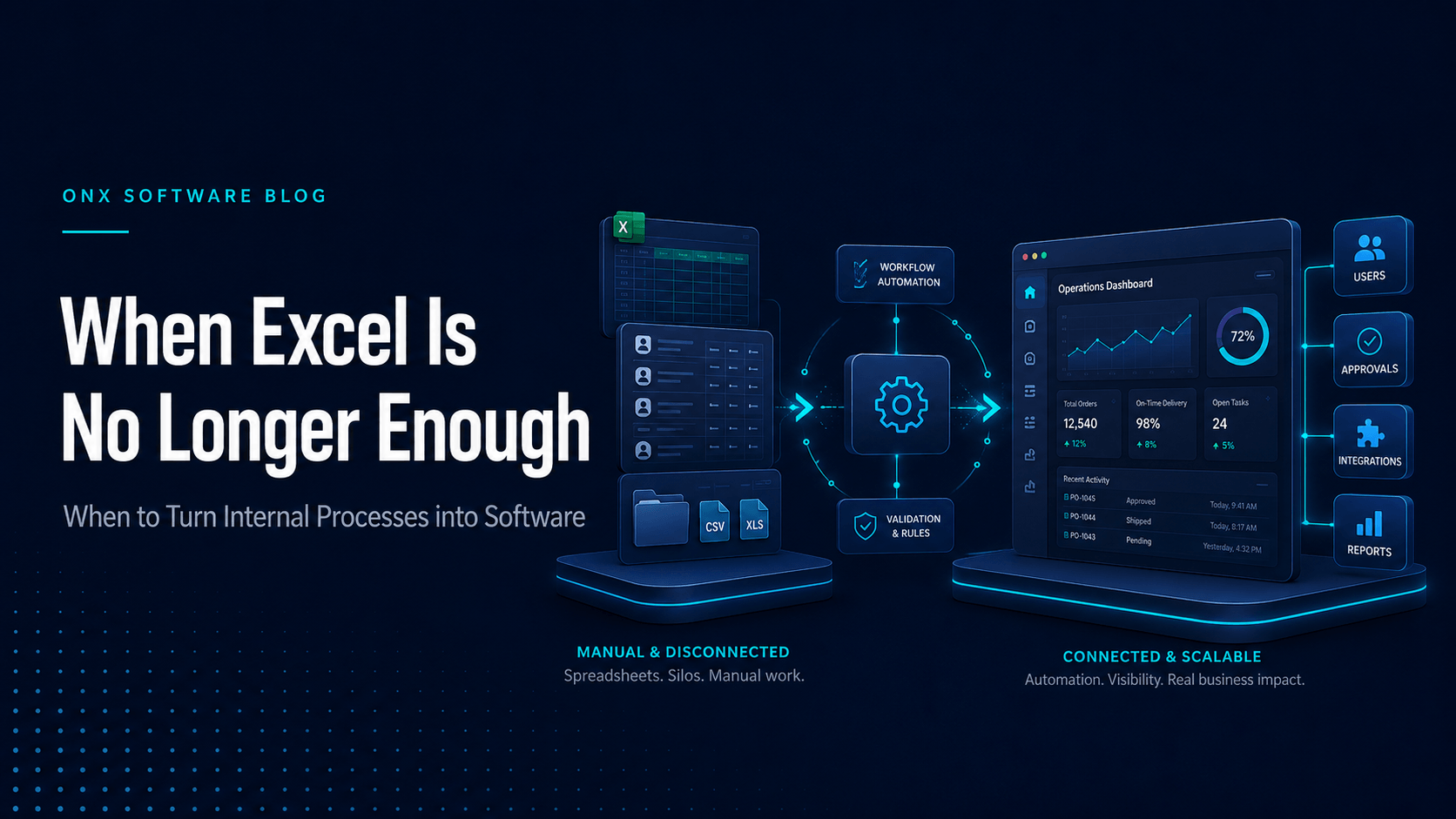
Excel is the invisible backbone of many businesses.
Sales tracking, operations planning, inventory, quotations, content production, shift schedules, reservations, reporting, and even customer management can run through spreadsheets for years.
That is not inherently a problem. Excel is fast, flexible, familiar, and extremely useful when a process is still taking shape. The problem begins when a temporary solution becomes the permanent infrastructure for a growing operation.
When a spreadsheet no longer simply stores information but also assigns work, drives decisions, affects customers, and controls critical workflows, it may be time to consider real software.
Where Excel performs well
Custom development may be premature when a process is new, changes frequently, or is managed by only a few people.
Excel is especially valuable when:
- You are designing a process for the first time.
- You are still learning which data matters.
- Transaction volumes are low.
- You need to run quick operational experiments.
- You are testing reporting logic.
- The workflow has not yet become standard.
Many successful software products begin as spreadsheets. A spreadsheet often exposes the real structure of the problem: which columns are used repeatedly, which calculations are performed manually, which approvals slow the team down, and which information must move between people.
In that sense, Excel is not only a limitation. It can also be an early form of product discovery.
Signs that Excel is no longer enough
1. There are multiple “correct” versions of the same file
When filenames start to include words such as “final,” “final-final,” “latest,” or “latest-v2,” data integrity is already at risk.
Who updated which version? Where is the most recent record? Was something deleted, overwritten, or filtered out?
Once those answers become uncertain, the issue is no longer tidiness. It is the quality of the decisions being made from the data.
2. The same information is entered in several places
If customer information arrives through a form, is copied into Excel, then entered again into an accounting platform and another operations file, the risk of error increases with every step.
Repeated data entry wastes time and creates inconsistencies between systems. A customer detail updated in one place may remain outdated elsewhere, eventually affecting service quality and reporting.
3. The process depends on specific individuals
Statements such as “Only one person understands this file” or “We cannot prepare the report when our operations lead is away” are important warning signs.
A healthy system does not leave critical operational knowledge in one person’s memory. Business rules should be visible, accessible, and auditable.
4. You need role-based access
Spreadsheets make it easy for everyone to see or edit everything. Growing organisations usually need different levels of access for different roles.
In a school, a teacher may need to see only their classes, an administrator may need a school-wide view, and a publisher may need aggregated usage information for licensed content. In a healthcare operation, patient data, financial records, and clinical notes require different permissions and safeguards.
5. The cost of an error has increased
When a broken formula, copied row, forgotten filter, or incorrect date can disrupt the operation, the spreadsheet has been given too much responsibility.
In tourism, an incorrect capacity or booking date can affect customers and field teams. In healthcare, incomplete or inaccurate data may have much more serious consequences.
6. Real-time visibility has become necessary
If management must wait for someone to prepare a weekly report before understanding the current situation, the information exists but is not operationally available.
Real software can present the right information to the right role at the appropriate time. This is not simply about building a dashboard. It requires data to be collected accurately and consistently at the source.
7. Customers or external stakeholders need to participate
A spreadsheet may continue to work internally for some time. But once customers need to place orders, students need to access content, teachers need to assign work, or suppliers need to complete transactions, a secure and controlled interface becomes necessary.
8. Growth requires adding people at the same rate
If every new customer, branch, or user requires another operations employee, the process may not be scaling.
One of software’s most important contributions is reducing the direct relationship between business growth and operational workload.
Should every spreadsheet become custom software?
No.
Custom software should not simply move a disorganised process into a more expensive interface.
It may be better to wait when:
- The workflow still changes fundamentally every week.
- Volumes remain low.
- Manual work and errors have limited cost.
- Very few people use the process.
- An existing SaaS product covers most of the requirement.
- The underlying issue is unclear responsibility rather than technology.
Software does not automatically improve a poorly defined process. The process should first be simplified and made consistent enough to automate.
How to plan the move from Excel to software
Document the current process as it really works
Identify the files, users, approvals, formulas, reports, and exceptions involved. Include unofficial workarounds such as WhatsApp messages, email chains, and personal notes.
The actual process is rarely identical to the process described in an internal procedure document.
Define the critical business rules
When is a record created? Who approves it? Under which conditions does its status change? Which fields are mandatory? What happens when information is missing or an error occurs?
These rules become the backbone of the software.
Keep the first scope focused
Do not attempt to transform every spreadsheet into one enormous platform at once. Start with the workflow that creates the greatest delay, highest error rate, or most important business value.
Treat data cleaning as a separate workstream
Files used for years often contain duplicates, incomplete fields, inconsistent naming, and outdated records. Migrating all of that directly into a new system simply transfers the old problems.
Plan integrations early
Connections with accounting, CRM, ERP, payment, identity, or content systems can shape the architecture and project effort. These requirements should not be discovered at the end.
Measure the result
The value of the new system can be tracked through metrics such as:
- Time spent per transaction
- Number of manual data-entry steps
- Error rate
- Report preparation time
- Transactions handled per employee
- Customer response time
- Operational cost
Your spreadsheet may contain a product opportunity
Some internal processes eventually reveal a problem shared by an entire industry.
A system developed by an educational publisher to coordinate content production may also be valuable to other publishers. A tool created by a tourism company to manage field operations may solve the same problem for similar businesses.
This is where the boundary between internal software and a SaaS product begins to open.
However, the organisation should first prove that the software creates real value internally and that other customers experience a sufficiently similar problem. A useful internal tool does not automatically become a scalable commercial product.
Across nearly 20 years of software work, we have encountered many projects that began with complex spreadsheets. Those files were not only evidence of a problem; they also contained valuable operational knowledge. When examined carefully, they revealed user roles, business rules, edge cases, and the likely scope of the first product.
The right time to leave Excel is not when the file looks untidy. It is when the spreadsheet begins to limit growth, control, reliability, and the quality of decision-making.